Twitch Video Shoutouts
This extension allows for maximum customization when creating shoutouts on stream. Decide whether you'd like to show a clip from the streamer, and even customize the output message.
Download from Ko-fiSetting it Up
In Streamer.bot click the Import button in the top menu. Drag the downloaded .mm file into the Import String field and click Import. You will see 2 Actions, 1 Queue and 2 Commands
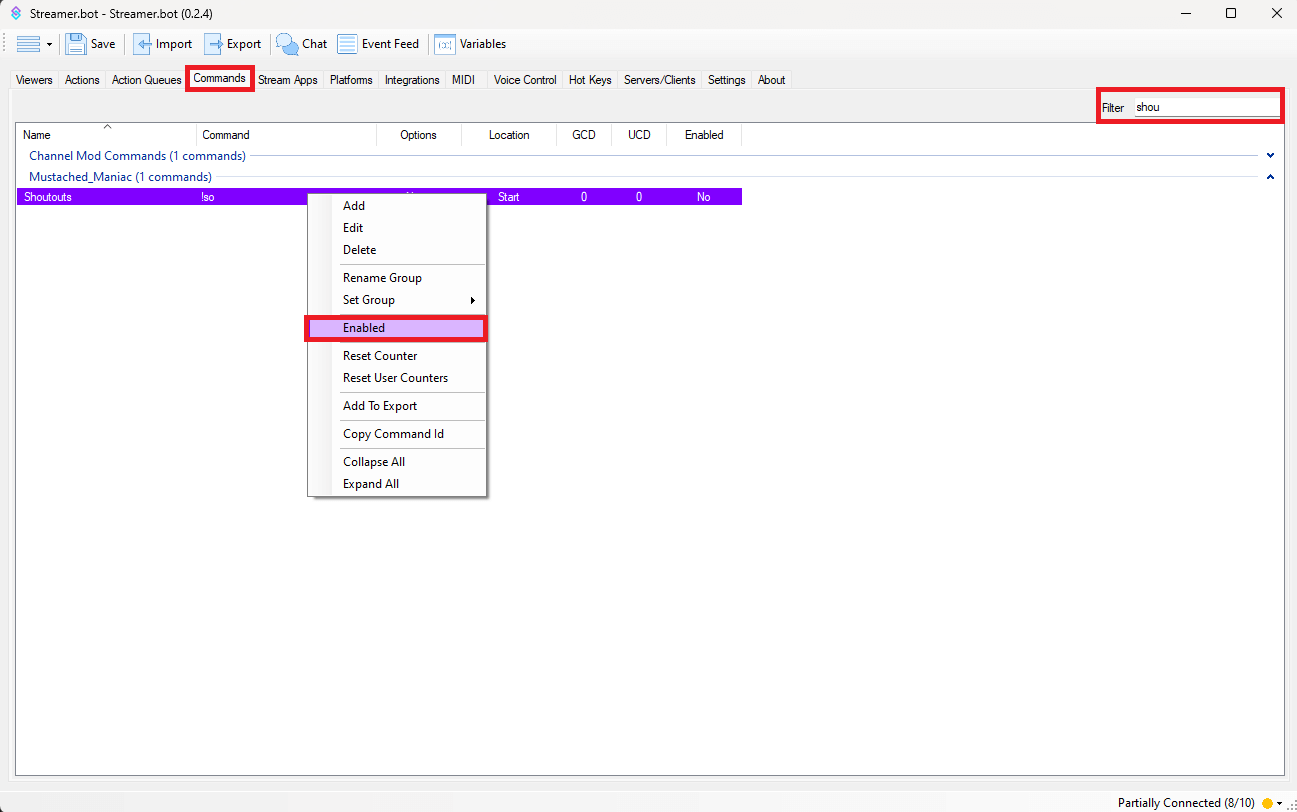
Once the extension is imported, navigate to the Commands tab, and type 'Shoutouts' in the Filter box. Right-Click on 'Shoutouts'and then press Enable
Repeat this step for the 'Watch Clip' command if you'd like to use that bonus feature.
If using OBS, it will automagically create the Scene/Source for you with by following the below instructions. If using Meld Studio/Streamlabs OBS, you will need to manually create a Scene and add a Browser Source with the name [MM] - Video Shoutouts.
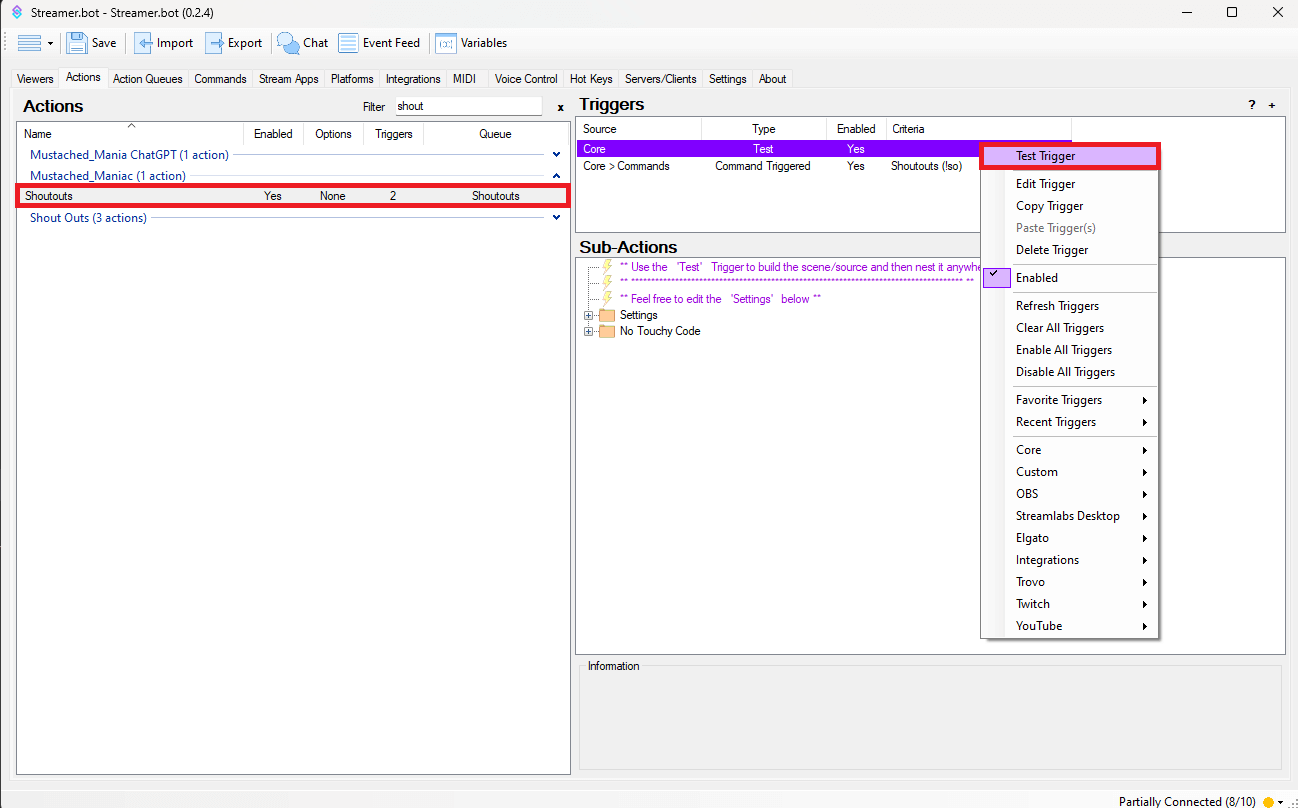
Go back to the 'Shoutout' Action and Right-Click on the 'Test' Trigger, this will automagically build a Scene/Source in OBS.
You'll have a Scene named:
[MM] - Streamerbot
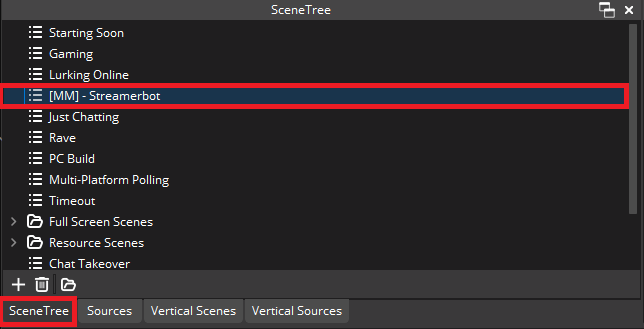
You'll have a Source named:
[MM] - Video Shoutouts
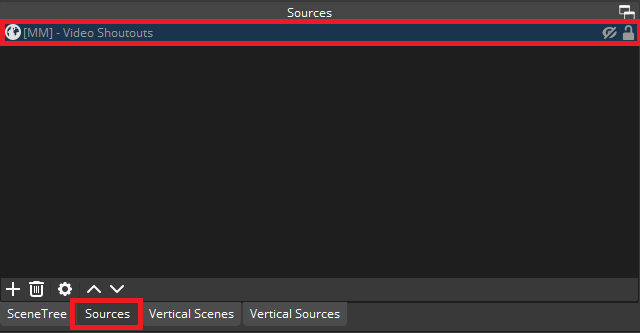
Now 'nest' your newly created scene anywhere you'd like to see the video shoutouts. You do this by clicking on the Scene you want to add them to, pressing the
+sign, and selectingScene.
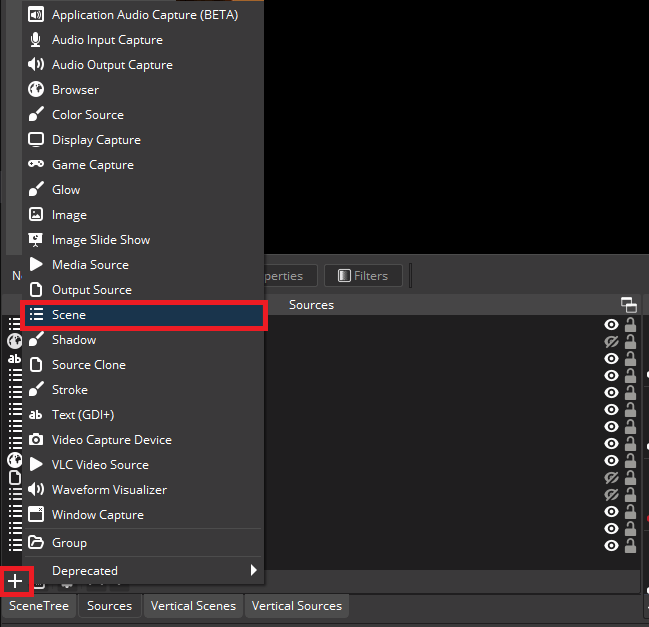
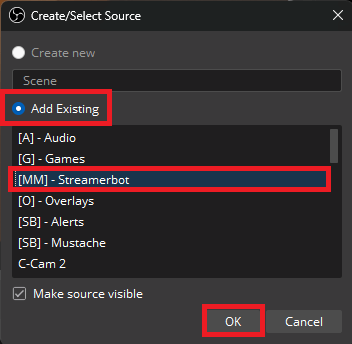
Ensure you click the
Add Existingbutton and select the[MM] - StreamerbotScene
Customizing Twitch Video Shoutouts in Streamer.bot
You can manually activate a shoutout by typing !so <insert twitch username> into chat. (Command is set to Moderators by default).
Max Clip Duation can be adjusted to limit the length of played video clips, if a clip is longer then the set length, it will just cut it off at that time.
You can customize the chat message that is posted when a shoutout is made by creating a new Send Message Sub-Action beneath the No Touchy Code folder. The arguments available for the message and other Sub-Actions are:
EXAMPLE MESSAGE: Go check out @%targetUser% at %targetTwitchLink%. They were last playing %categoryName%!
| Argument | Example |
|---|---|
%targetUserId% | 123456789 |
%targetUserName% | mustached_maniac |
%targetUser% | Mustached_Maniac |
%categoryName% | Just Chatting |
%categoryId% | 509658 |
%targetChannelTitle% | It's been a really long time...let's catch up |
%targetDescription% | Welcome to my channel! I'm all about gaming and having fun. Don't forget to follow and join the community! |
%targetUserProfileImageUrl% | https://static-cdn.jtvnw.net/jtv_user_pictures/abcd1234-profile_image-300x300.png |
%targetIsAffiliate% | True |
%targetIsPartner% | False |
%targetTwitchLink% | https://www.twitch.tv/mustached_maniac |
%clipTitle% | This is a made up title |
%clipUrl% | https://www.twitch.tv/mustached_maniac/clip/BumblingYummyDiscPogChamp-k_yNCCEyWTBhRpT1 |
%clipBroadcaster% | Mustached_Maniac |
%clipCreator% | Cool_Fan_Guy |
%clipCategory% | Fortnite |
%clipGameId% | 33214 |
%clipViews% | 3 |
%clipCreatedOn% | 2/2/2026 12:36:54 |
%clipDuration% | 5300 |

Watch Twitch Clips Action
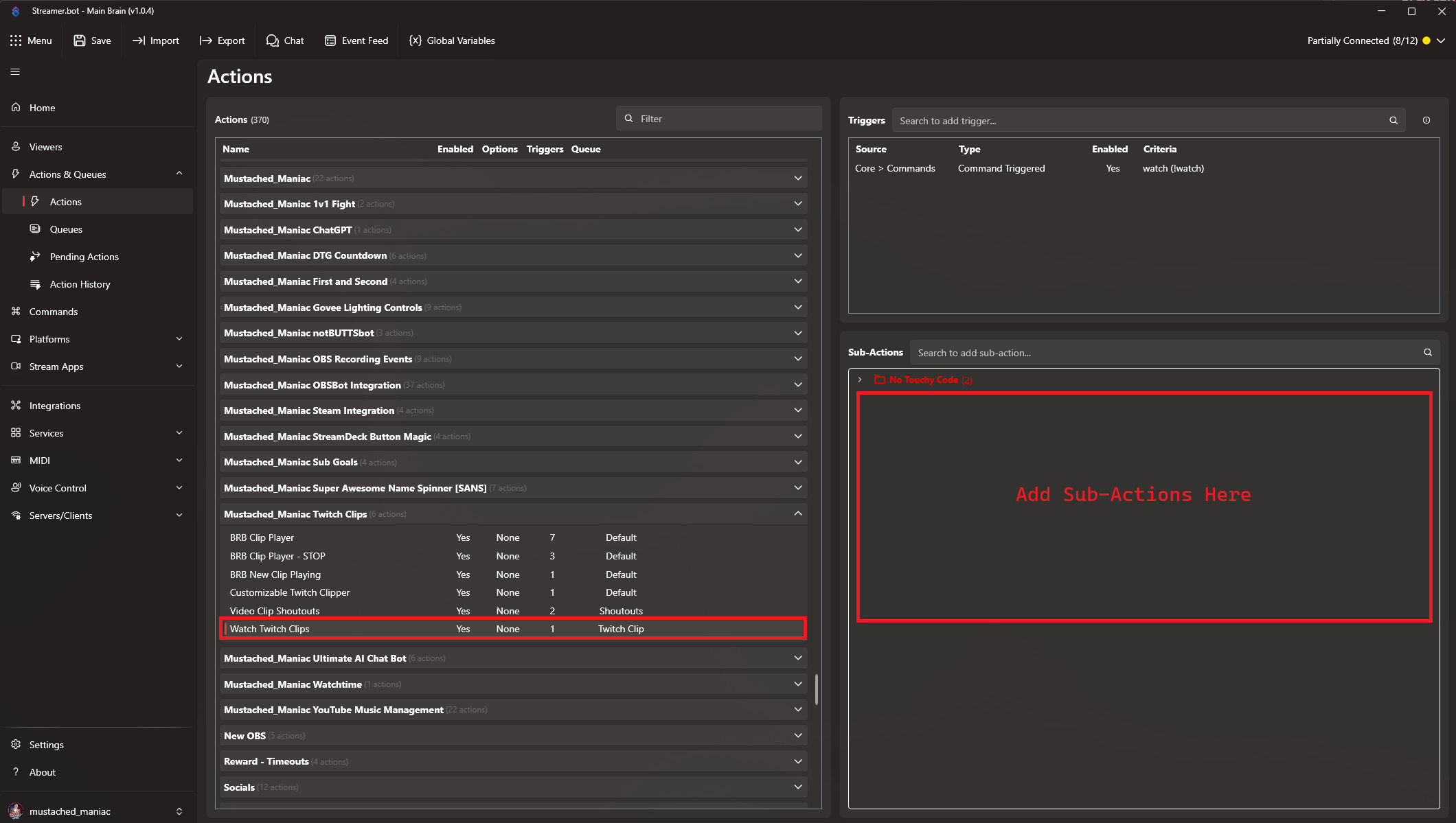
A bonus Action has been included that will allow you to watch Twitch Clips (via link provided in chat). It is set to Moderators ONLY by default, and can be used by typing !watch <insert twitch clip link>, the following arguments are available for this Action:
| Argument | Example |
|---|---|
%clipTitle% | This is a made up title |
%clipUrl% | https://www.twitch.tv/mustached_maniac/clip/BumblingYummyDiscPogChamp-k_yNCCEyWTBhRpT1 |
%clipBroadcaster% | Mustached_Maniac |
%clipCreator% | Cool_Fan_Guy |
%clipCategory% | Fortnite |
%clipGameId% | 33214 |
%clipViews% | 3 |
%clipCreatedOn% | 2/2/2026 12:36:54 |
%clipDuration% | 5300 |