
BRB Twitch Video Clip Player
This extension allows for automatically playing the Broadcaster's Twitch Clips while on a 'BRB' Scene. Additionally, it can be manually started and stopped via command or StreamDeck button.
Download from Ko-fiSetting it Up
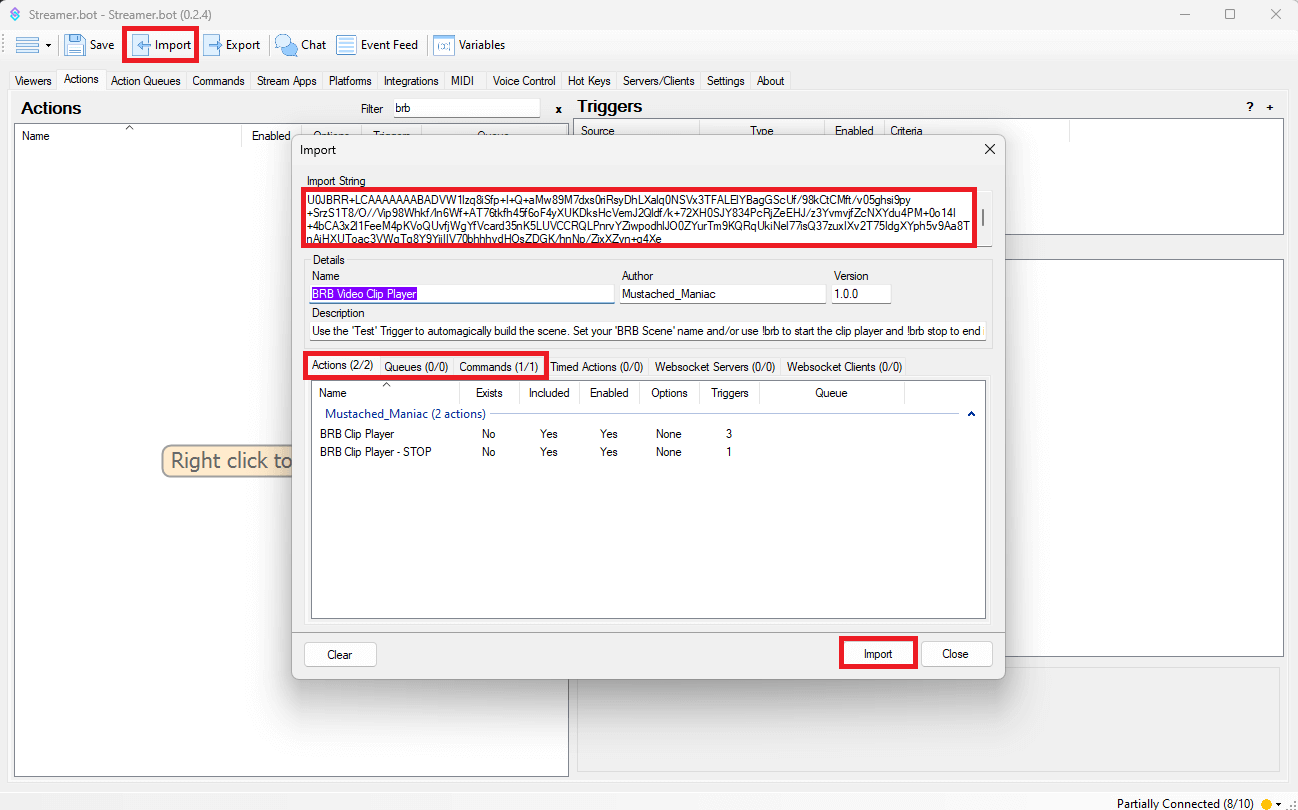
In Streamer.bot click the Import button in the top menu. Drag the downloaded .mm file into the Import String field and click Import. You will see 3 Actions and 1 Command
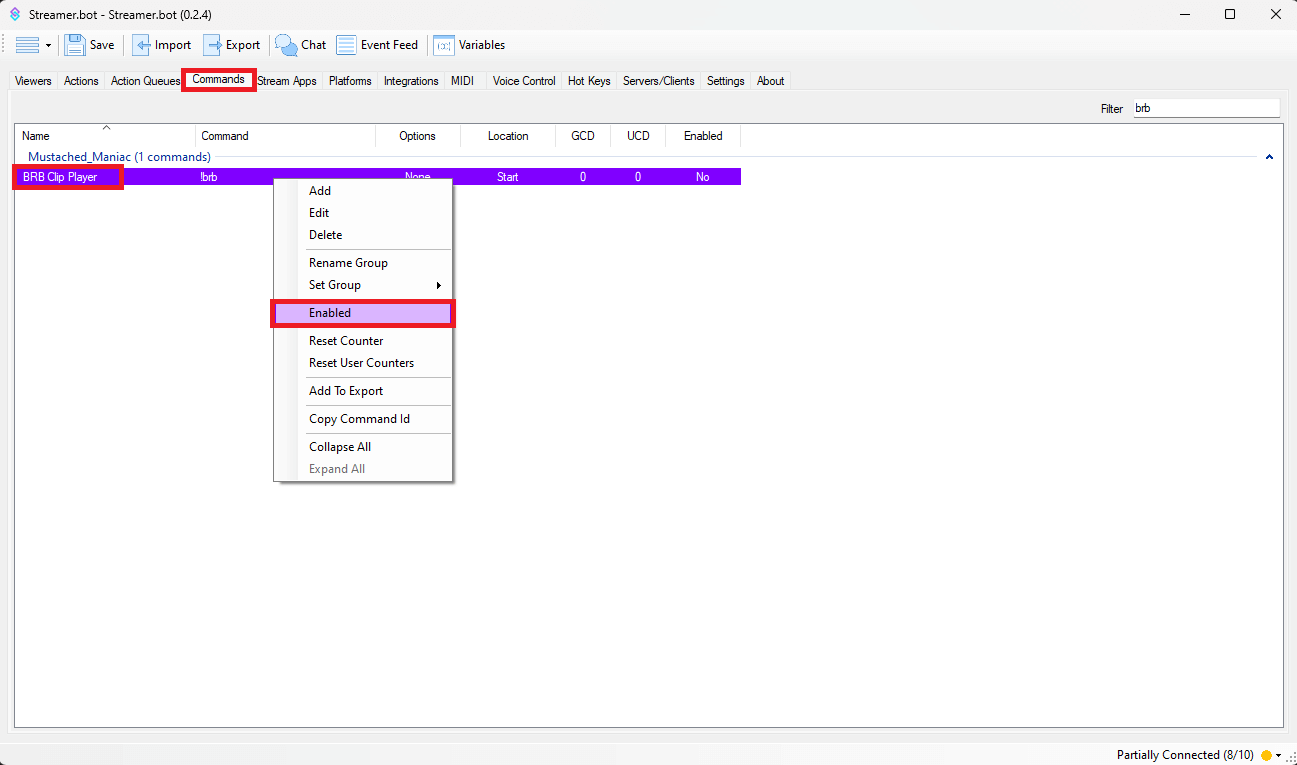
Once the extension is imported, navigate to the Commands tab, and type 'brb' in the Filter box. Right-Click on 'BRB Clip Player' and then press Enable
If using OBS, it will automagically create the Scene/Source for you with by following the below instructions. If using Meld Studio/Streamlabs OBS, you will need to manually create a Scene and add a Browser Source with the name [MM] - BRB Clip Player.
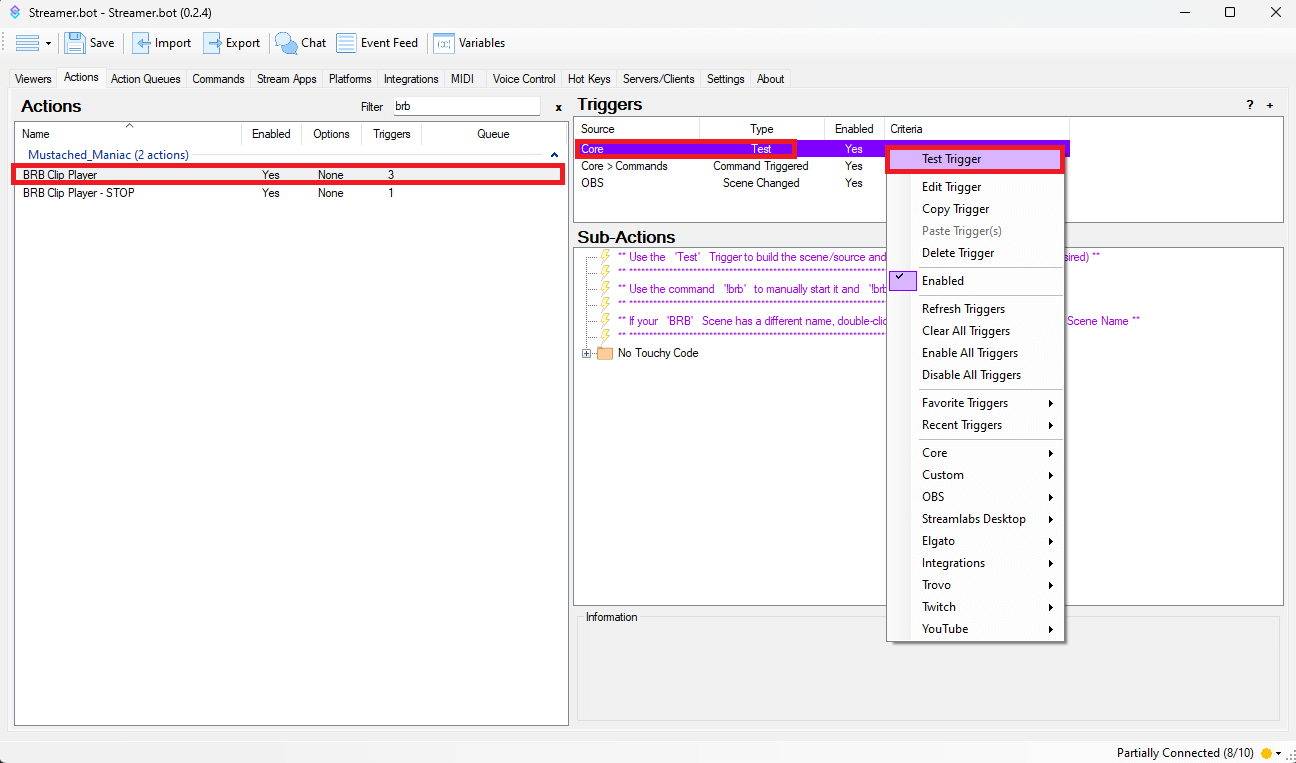
Go back to the 'BRB Clip Player' Action and Right-Click on the 'Test' Trigger, this will automagically build a Scene/Source in OBS.
You'll have a Scene named:
[MM] - Streamerbot
You'll have a Source named:
[MM] - BRB Clip Player
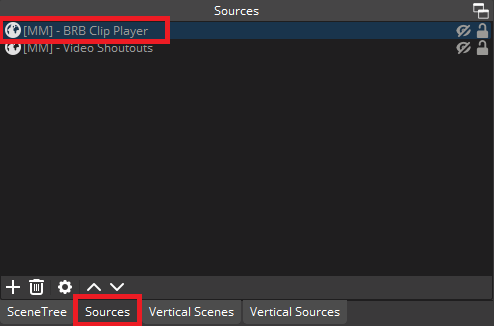
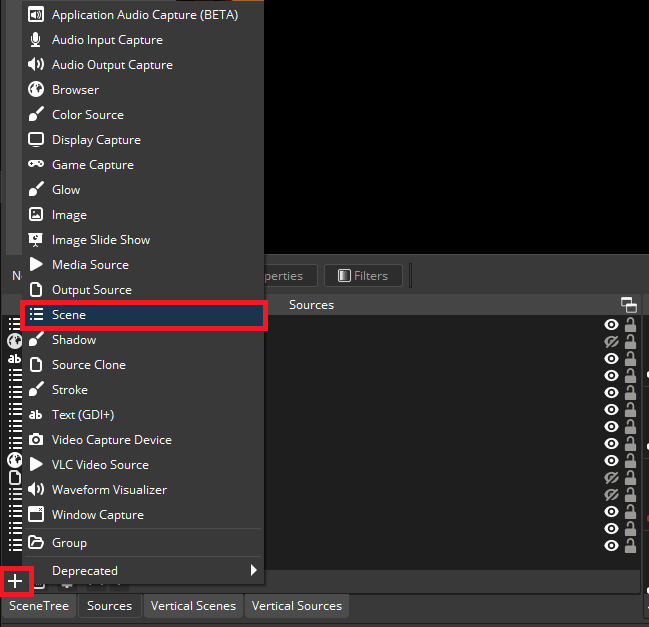
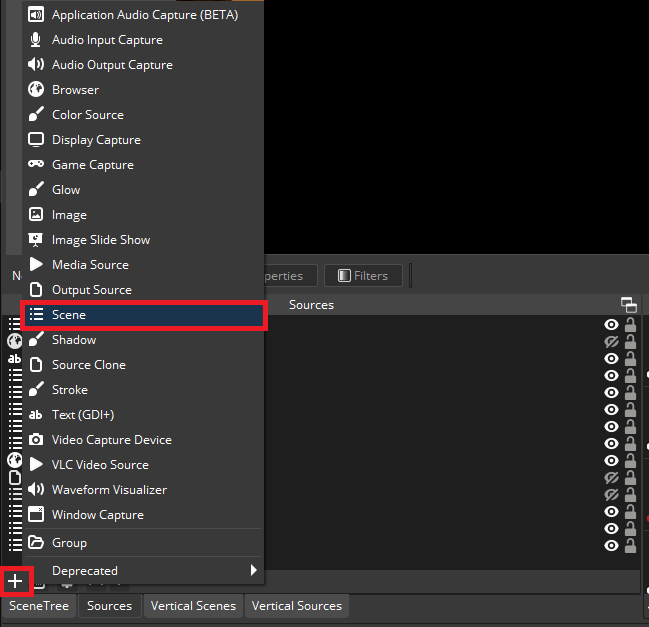
Now 'nest' your newly created scene anywhere you'd like to see the video shoutouts. You do this by clicking on the Scene you want to add them to, pressing the
+sign, and selectingScene.
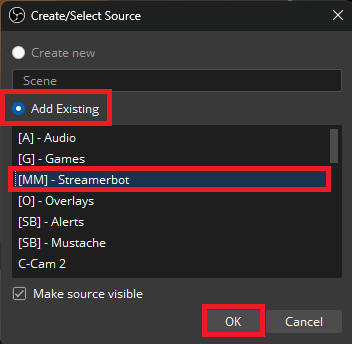
Ensure you click the
Add Existingbutton and select the[MM] - StreamerbotScene
Customizing Twitch Video Clip Player in Streamer.bot
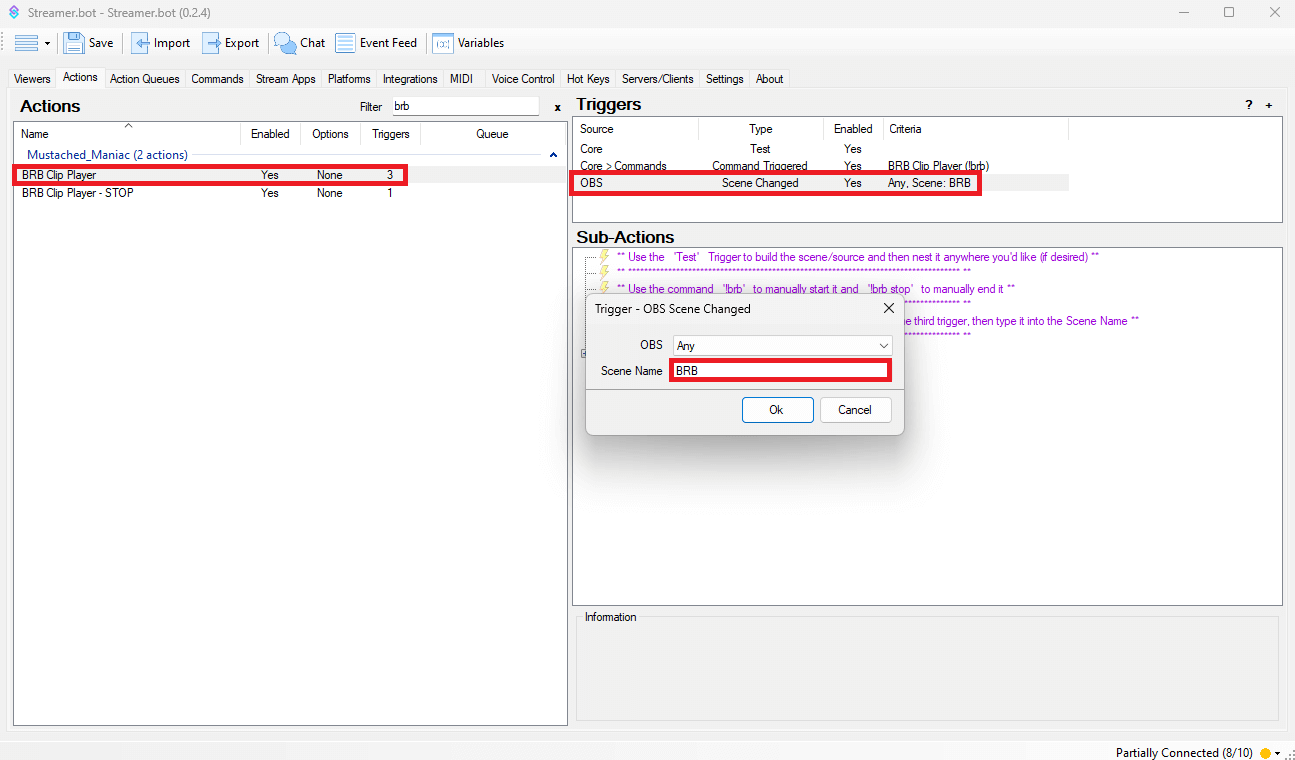
You can manually activate the BRB Clip Player by typing !brb into chat. (Command is set to Moderators by default). To stop the player from cycling through clips, simply type !brb stop into chat. If you want the clips to play automagically (i.e. from your BRB scene, or any other scene), double-click the Scene Changed Trigger for your Streaming Software in the 'BRB Clip Player' Action and enter the scene name you want to trigger it.
Type the Scene Name exactly how it appears in your Streaming Software. This IS case-sensitive.
Now do something similar for the 'BRB Clip Player-STOP' Action. Do NOT Change the Trigger, simply change the sceneName in the first Set Argument Sub-Action.
If you want clips playing on other scenes, add additional Set Argument Sub-Actions with sceneName1, sceneName2, etc.
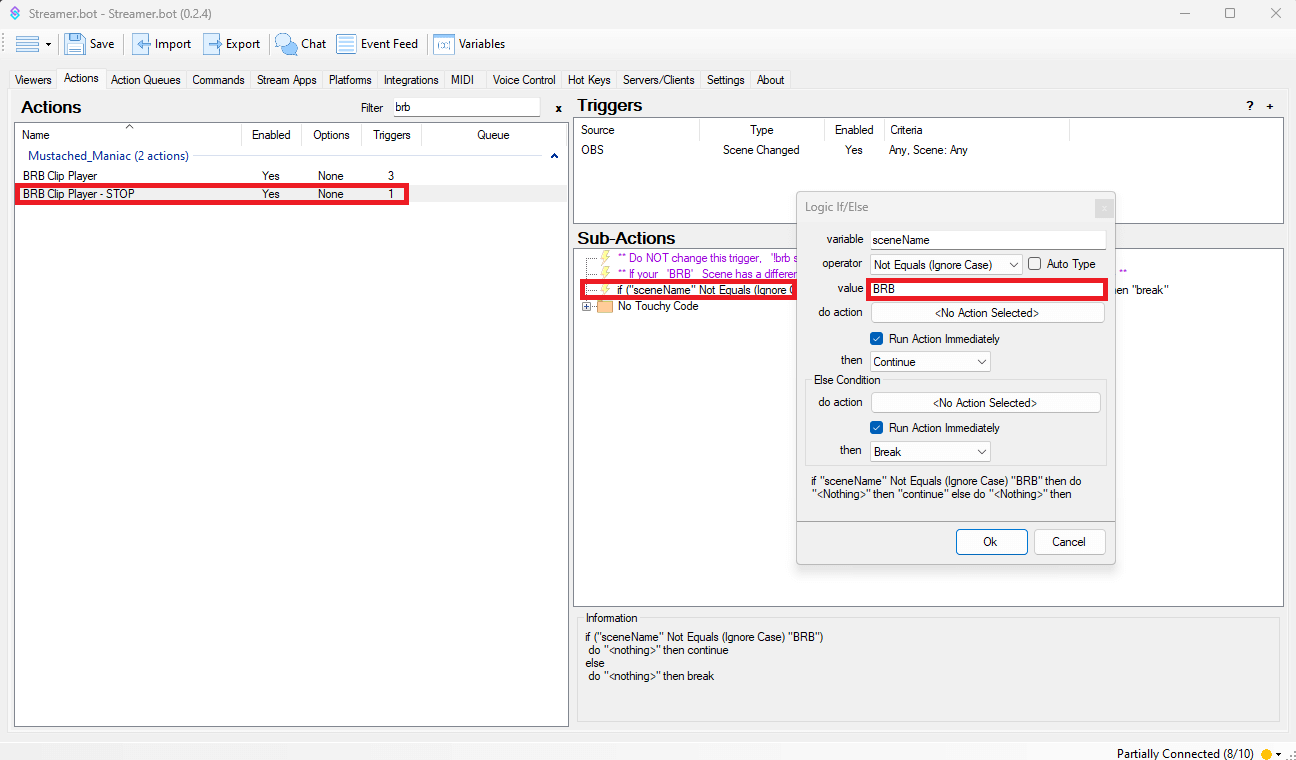
Congratulations!! You now have a really awesome Twitch BRB Clip Video Player ready to be used automagically, or with a simple command.
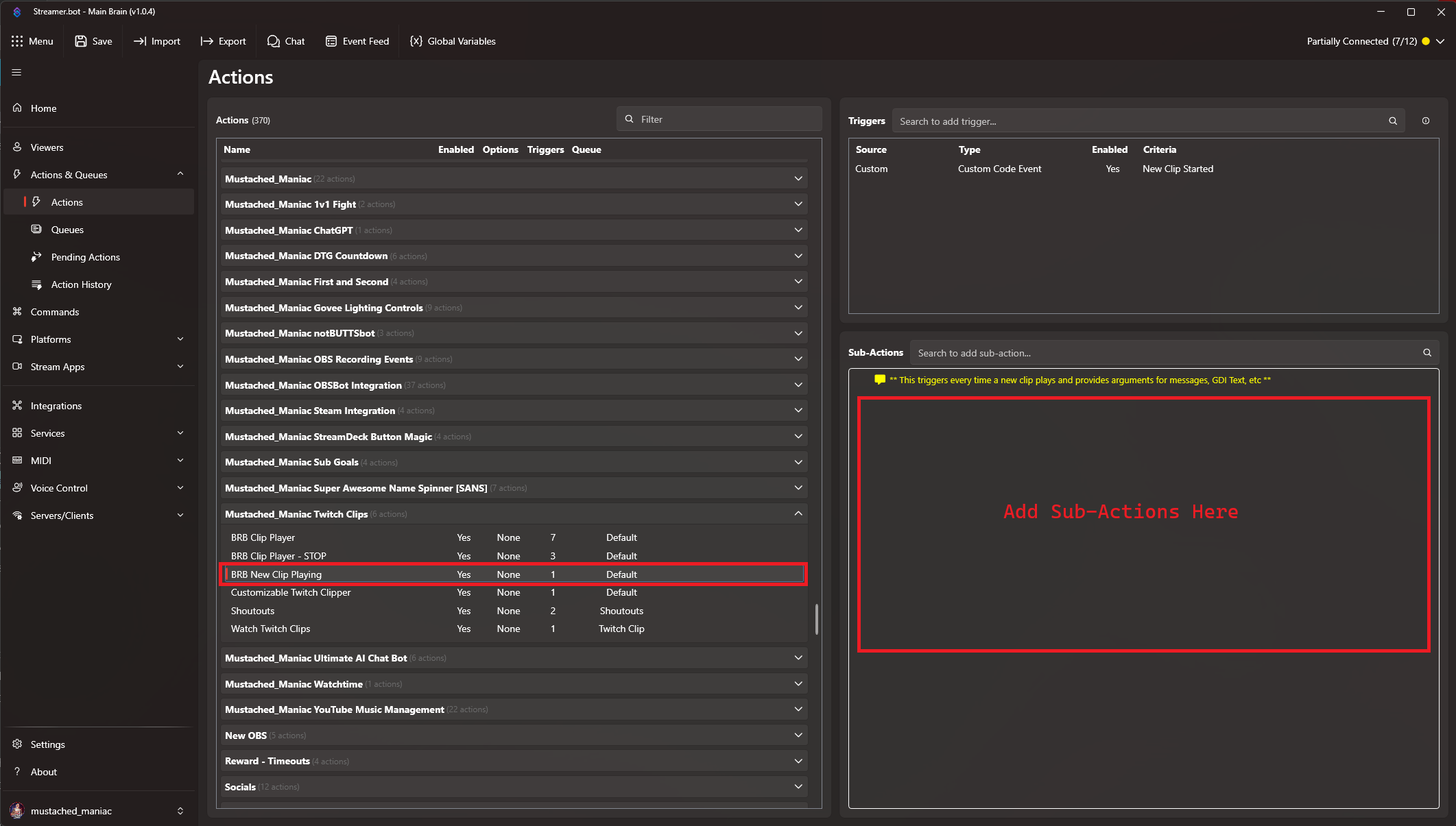
New Clip Playing Action
A bonus Action has been included that will Trigger every time a new clip starts playing. You can use this to update GDI Text, Send Messages to chat with the name of the clip, etc. When a new action plays, the following arguments are available for this Action:
| Argument | Example |
|---|---|
%clipId% | BumblingYummyDiscPogChamp-k_yNCCEyWTBhRpT1 |
%clipTitle% | ONLY Twitch Streamer Playing 'The Cecil: The Journey Begins'! | Testing NEW Spotify Extension 🤘 |
%clipUrl% | https://www.twitch.tv/mustached_maniac/clip/BumblingYummyDiscPogChamp-k_yNCCEyWTBhRpT1 |
%clipEmbedUrl% | https://clips.twitch.tv/embed?clip=BumblingYummyDiscPogChamp-k_yNCCEyWTBhRpT1 |
%clipCreator% | Mustached_Maniac |
%clipCreatorId% | 509326696 |
%clipDuration% | 30 |
%clipViews% | 7 |
%clipGameId% | 2073211545 |
%clipIsFeatured% | False |
%clipThumbnailUrl% | https://static-cdn.jtvnw.net/twitch-clips/r48UzZP8jQghMlkwYUaU9Q/319306086268-offset-4156-preview-480x272.jpg |
%clipNumber% | 3 |
%totalClips% | 262 |
